Features
Everything an agency needs to win search and AI answers
ZORO SEO covers the whole loop: brief, research, plan, deliver, verify, monitor and report.
Last updated
What is ZORO SEO?
ZORO SEO is a platform for agencies and marketing teams that runs SEO and AI visibility for each client in one loop: research fitted to the business, goals with honest dates, a planned and verified workload for the team, daily monitoring, and client reports with checked numbers.
It replaces the patchwork of a keyword tool, an AI tracker, a project board, a rank tracker and a reporting template. Every score, date and alert stores the inputs behind it, so you can explain any number to a client, and nothing is published to a client’s site without a person approving it.
SEO engine
From the client’s brief to a ranked plan, with every score explained.
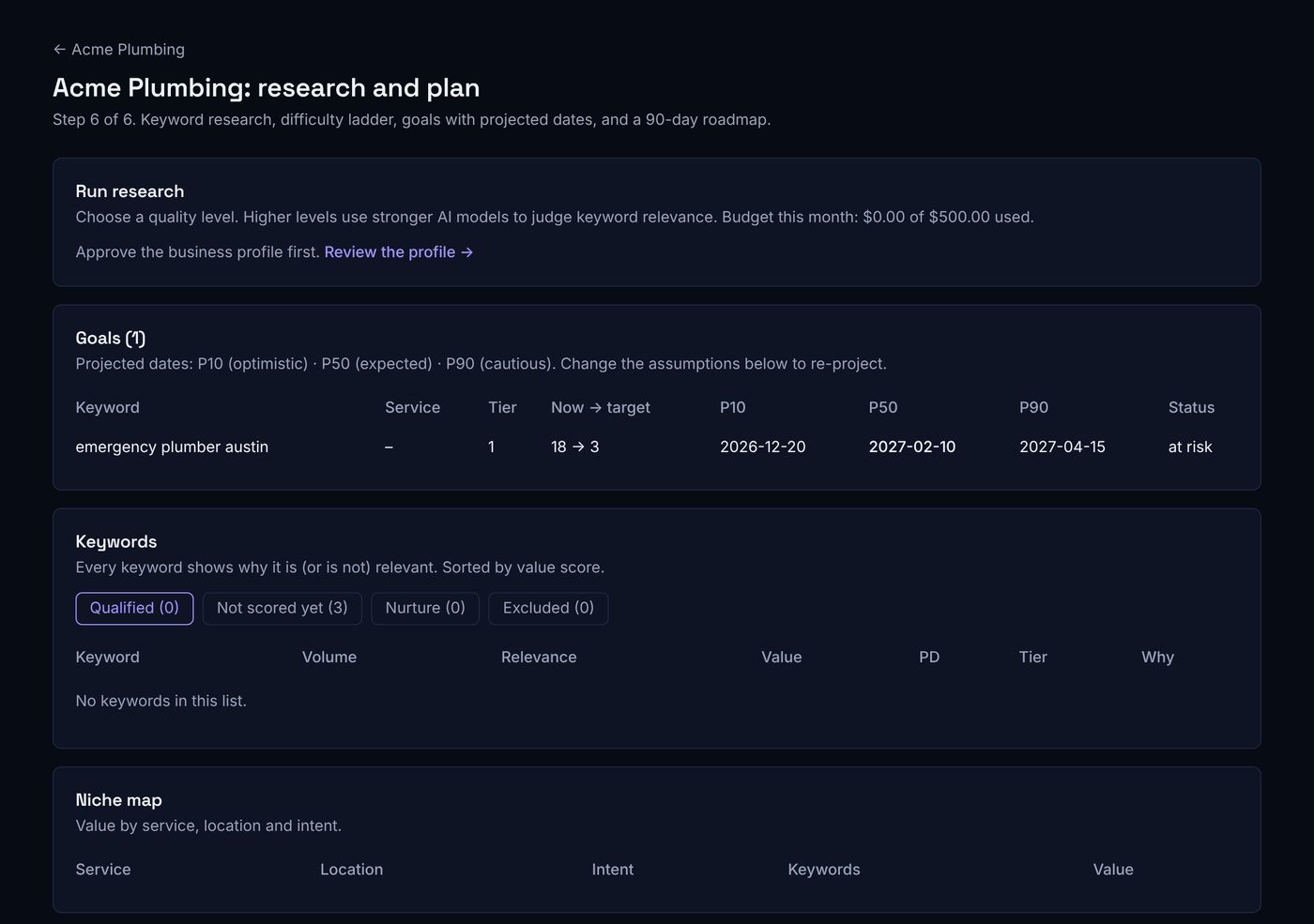
ZORO SEO builds an approved profile of the client’s business, finds the keywords that fit it, scores each one for relevance, value and difficulty for this particular site, and turns them into tiers and goals with likely dates.
Business profile first
Relevance, value, difficulty
Clusters and tiers
Goals with ranges
Search Console built in
Costs before you run
AI visibility
How often AI assistants mention, recommend and cite your client, measured with statistics, not screenshots.
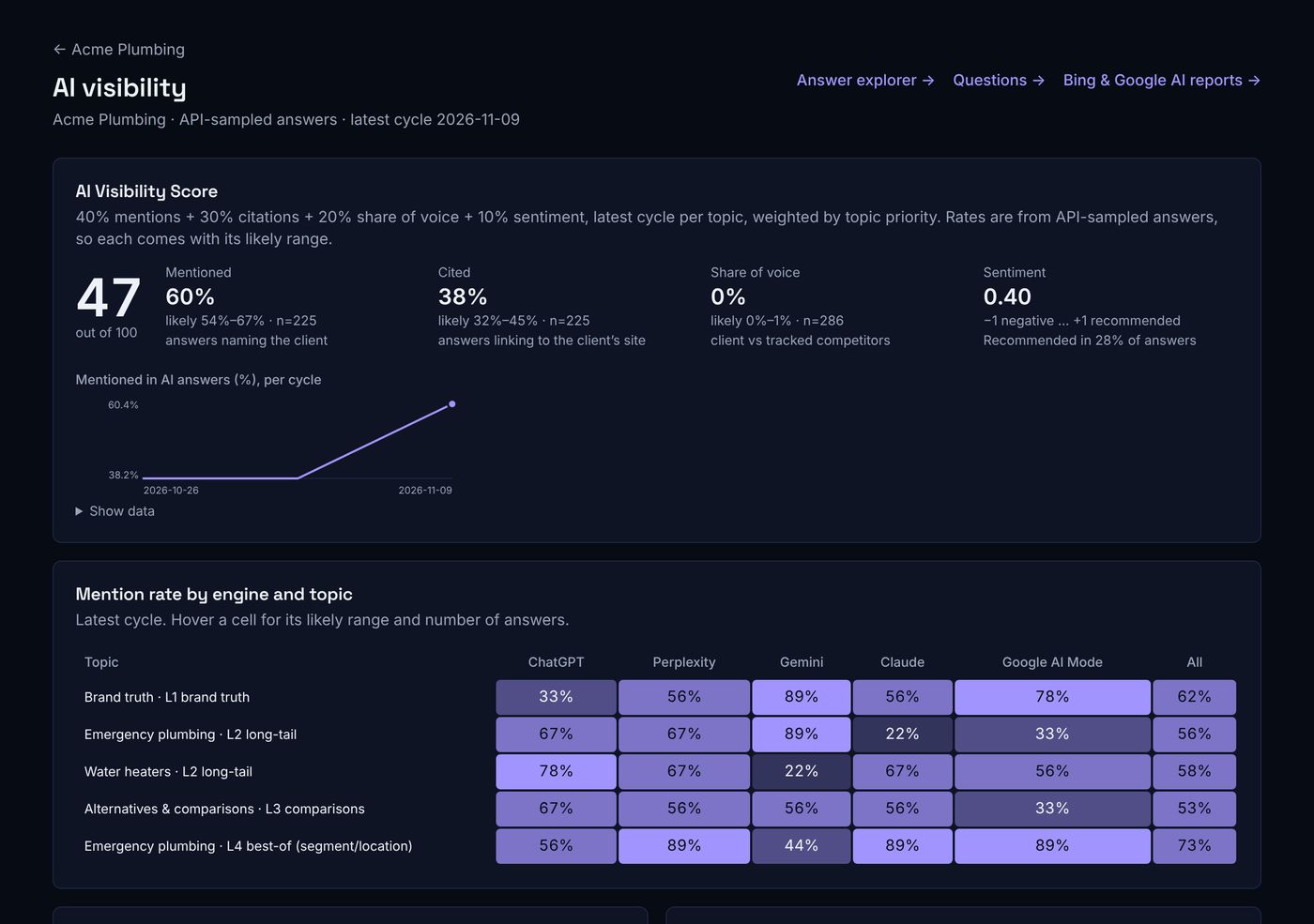
ZORO SEO researches the questions buyers ask AI assistants, asks them several times on up to five engines on a schedule, and reports how often the client is mentioned, recommended and cited, each with a likely range.
The questions buyers ask
Sampled across engines
Confidence ranges
Wrong facts caught
Sources to win
Engines’ own reports
Planning, tasks and verification
A weekly plan your team can deliver, and proof that the work landed.
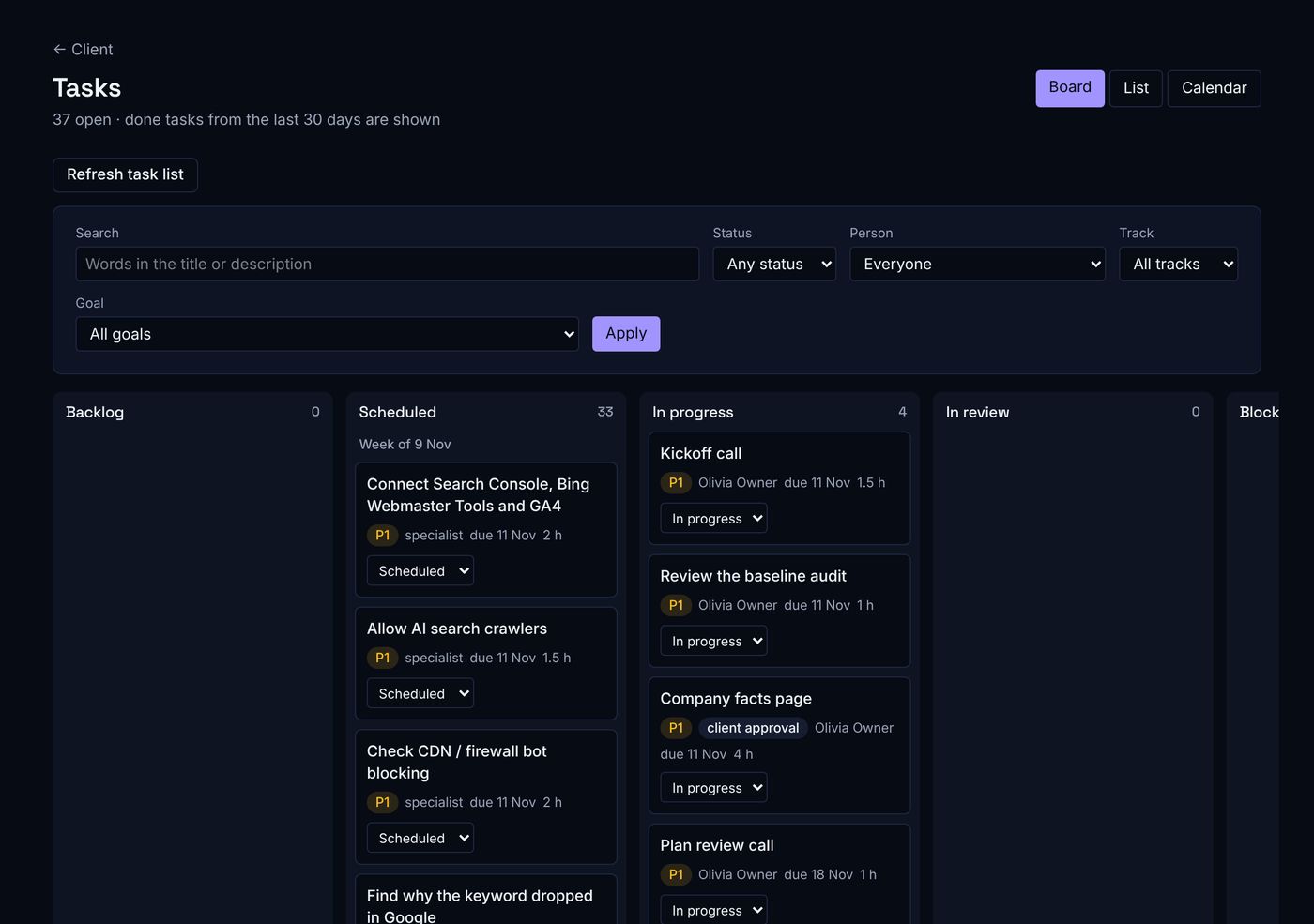
Goals, AI gaps and alerts become tasks with clear titles, planned across your team by role, weekly hours and client access; when a task is marked done, the platform checks the result and reopens it if the check fails.
White-hat playbooks
Fitted to real hours
Automatic checks
Briefs and first drafts
Client approvals
Google updates handled
Monitoring, alerts and reports
Know first, explain why, and show the client.
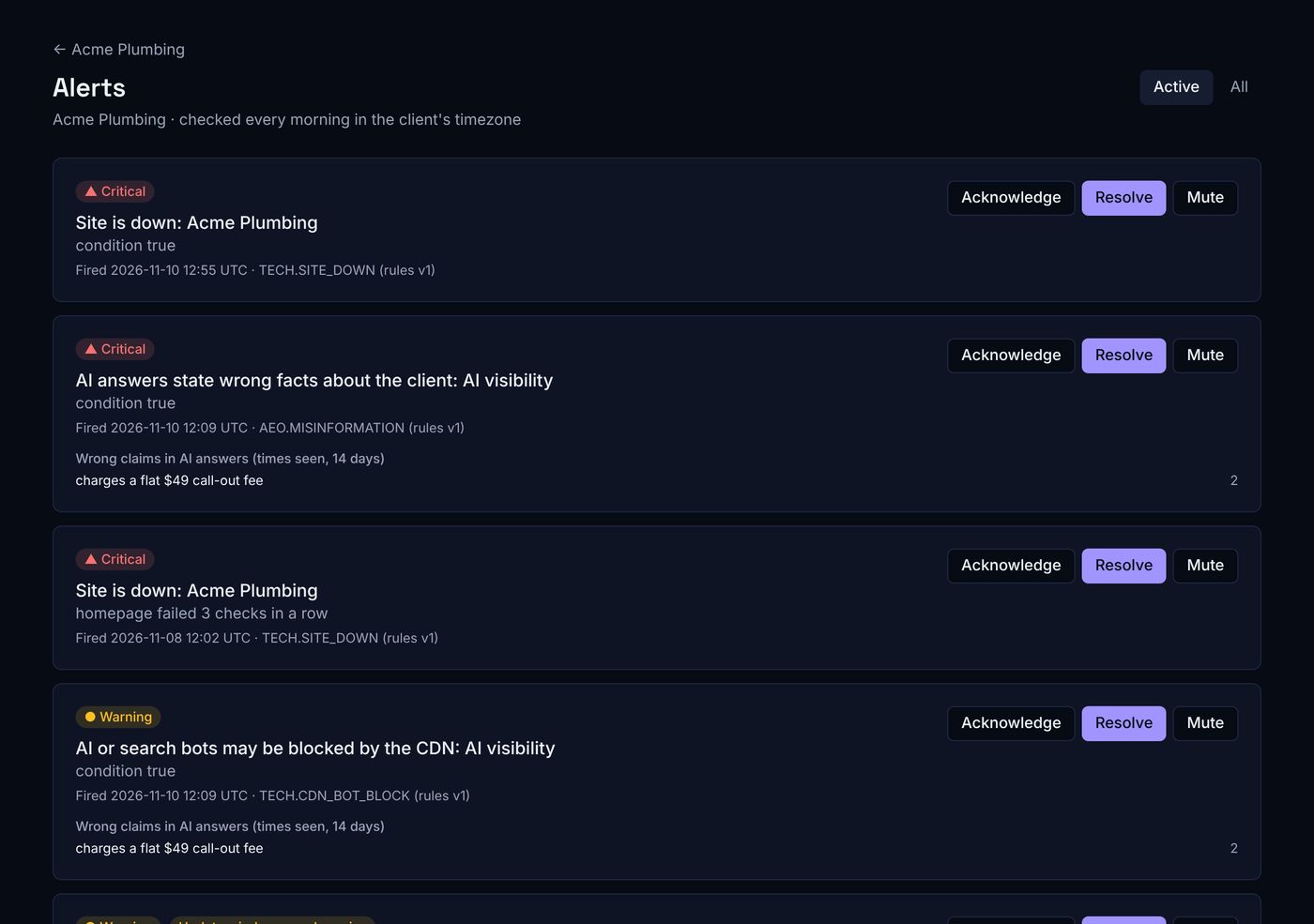
Rankings, the site, AI answers and Google updates are checked every day; each alert shows the numbers behind it, and weekly, monthly and quarterly reports are written for you with every number checked against the data.
Daily monitoring
Alerts with evidence
Your channels
Verified reports
Client portal
Budgets
Agency tools
Run it as your own product.
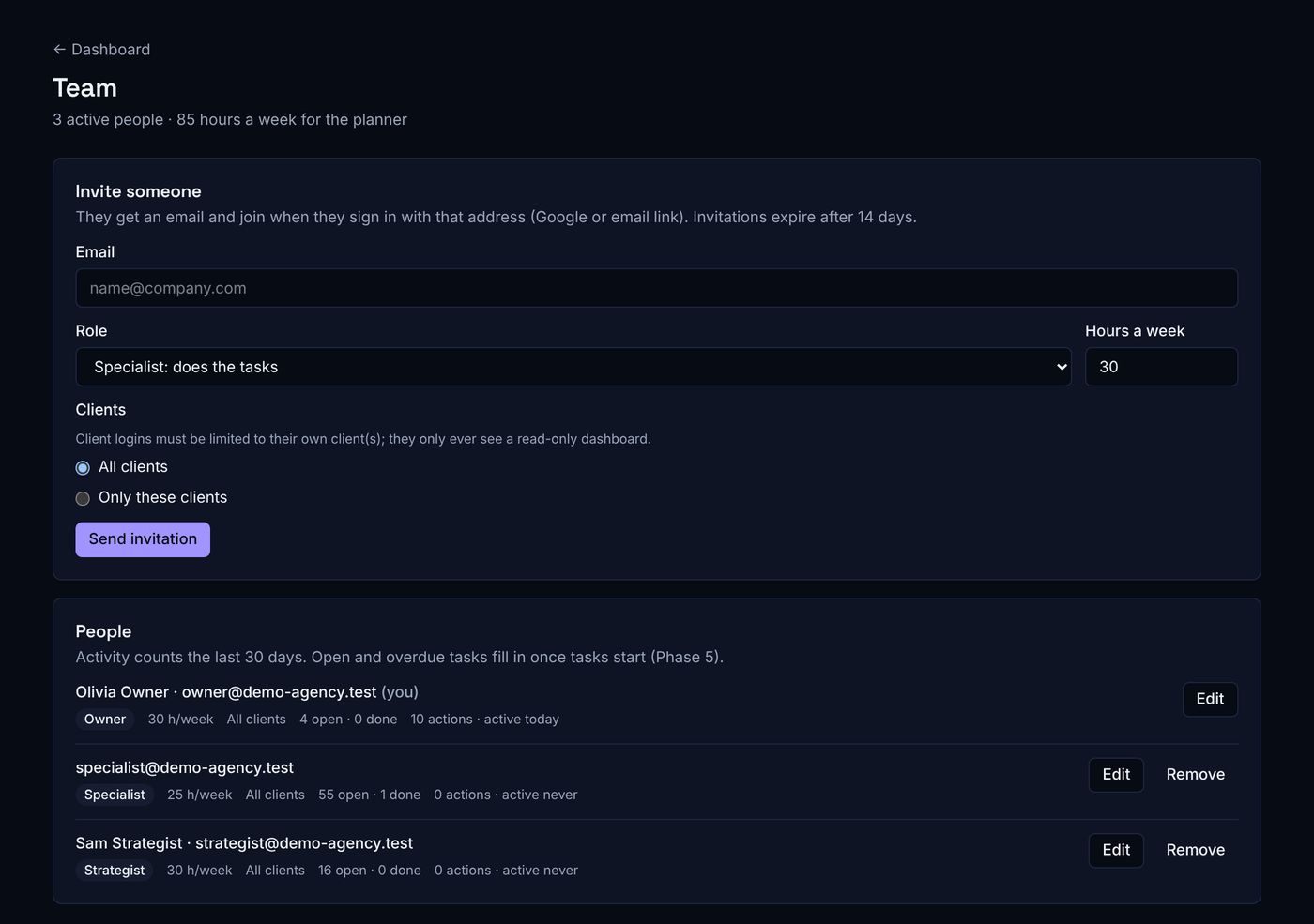
Invite your team with roles, weekly hours and client access, put your own name, logo and colour on everything, and run the app on your own domain on higher plans.
White-label
Team and roles
Billing
Frequently asked questions
What does ZORO SEO do?
It runs SEO and AI visibility for each client in one place: business profile, keyword and AI-question research, goals with likely dates, AI visibility on five engines, planned and verified tasks, daily monitoring and alerts, and branded client reports.
Which AI assistants does it track?
ChatGPT search, Perplexity, Gemini with Google Search, Claude with web search and Google AI Mode. Bing’s AI Performance report and Search Console’s Generative AI report can be uploaded alongside.
Does it write content for my clients?
It prepares AI briefs and first drafts for content tasks, built only from the client’s approved facts and citing their sources. A person edits and approves every draft, and nothing is published automatically.
How are the goal dates calculated?
From the keyword’s difficulty for this site, the site’s current rankings and the planned work. Each goal has a projected date plus a likely-earliest and likely-latest date, and is re-projected every month from real rankings.
How does the platform know a task was really done?
The person adds evidence, usually the live link. The platform checks it automatically (for example that the page is live, indexable and contains the change) and reopens the task with the reason if the check fails.
What does it monitor every day?
Rankings and Search Console data, uptime every 15 minutes, weekly site audits, robots.txt and AI-crawler access, AI answers on the tracked questions, and Google’s confirmed updates.
Can clients log in?
Yes, free. A client login sees only that client’s dashboard, approvals and reports, enforced by the database. Client admins can also edit their business details and approve deliverables.
Can I put my agency’s brand on it?
Yes: your name, logo, wide logo and colour on the app, reports, PDFs and emails. Higher plans can run the app on your own domain with no platform name anywhere.
Ready to see it on a real client?
Bring one client; we’ll show the brief, research and goals with your data.