

Feature
SEO client portal: dashboards and approvals
Give each client a login to their own dashboard, approvals and reports, limited by the database to their own data, in your brand.
What does the ZORO SEO client portal do?
Each client gets a login to their own dashboard: goals with likely dates, AI visibility, the work done with its evidence, reports, and the drafts and changes waiting for their approval. The database limits every client login to that client’s data.
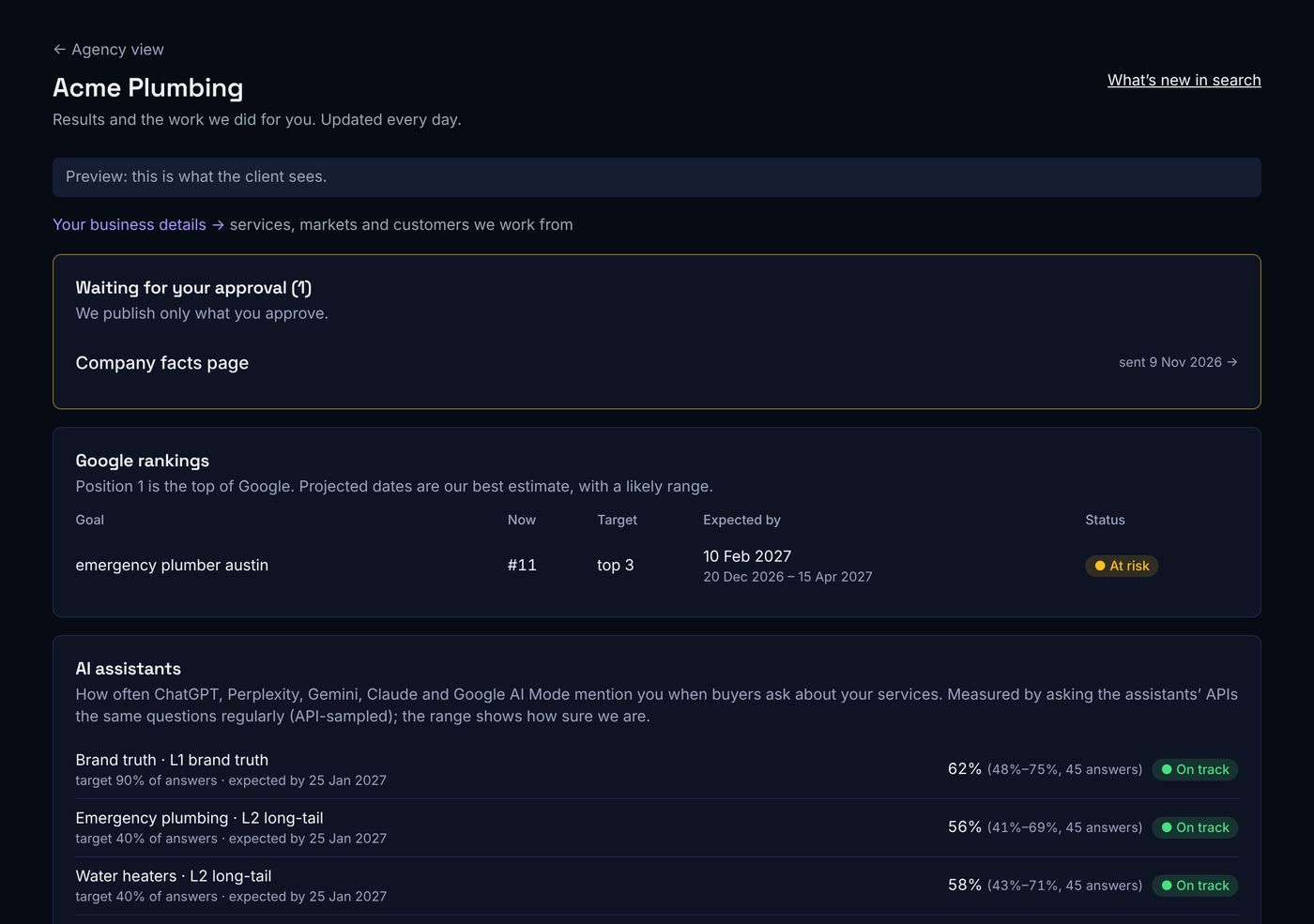
What client portal includes
Their own dashboard
Approvals
Business details
Enforced by the database
In your brand
Plan usage
How it works
- 1
Invite a client login, limited to their client.
- 2
They see their dashboard and reports.
- 3
Send drafts or changes for approval from a task.
- 4
They decide in the portal; the task moves on.
Frequently asked questions
Can a client see other clients?
No. Client logins are limited to their own client by the database itself, not only by the app.
Can I approve on the client’s behalf?
Yes, the owner can, with a reason (for example an approval by email); it is recorded as the owner’s approval in the task history.
Is the portal white-label?
Yes. It shows your name, logo and colour, on your own domain on higher plans.
Keep reading
AI visibility tracking →
Track how often ChatGPT, Perplexity, Gemini, Claude and Google AI Mode mention and cite each client, with confidence ranges and the sources to win.
White-label SEO reporting →
Weekly, monthly and quarterly client reports in your brand, covering Google and AI answers, every number checked against the data before sending.
Rank tracking →
Track rankings for the keywords that matter to each client, with goals and likely dates, Search Console data and alerts that explain every drop.
See client portal on your own client
A 30-minute walkthrough with one of your clients’ sites.